Keep calm and carry Raspberry Pi: the computer in my three-day kit
In October, the UK government asked us all to prepare to look after ourselves for three days. The new Be Ready campaign has a sensible checklist: bottled water, tinned food, a torch, an FM radio, a charged power bank, some cash, and copies of your ID and important documents.
I’ve done the sensible list. Then, because I’m me, I added a Raspberry Pi.
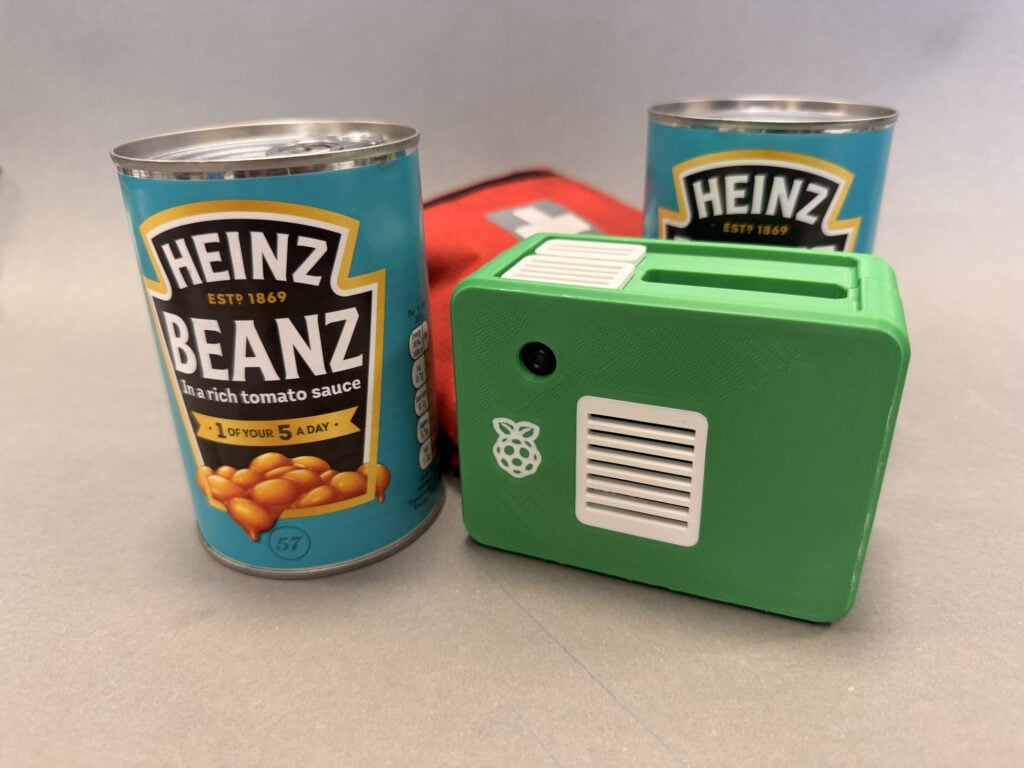
If the broadband or power goes, this Raspberry Pi ensures the house still has a small, private internet of its own. Not the whole internet — just the useful bits, plus enough films to stop anyone going feral by day two. It now has a rugged case and a solar battery box to match.
The router is the sensor
A Raspberry Pi can’t feel the mains, but my router dies the moment the power does, so the router is the sensor. The Raspberry Pi pings it every 15 seconds. If it’s gone for two minutes, that’s a power cut: the Raspberry Pi drops into a power-saving mode and, five minutes in, puts up its own Wi-Fi hotspot.
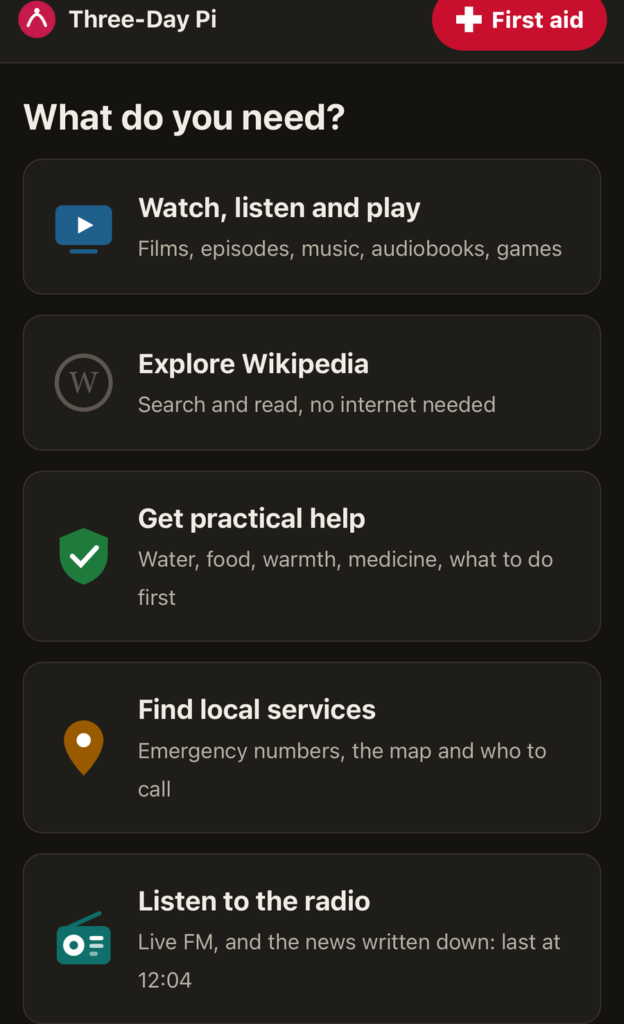
Phones join via the Wi-Fi hotspot and land on a simple homepage showing when the cut started, how long the fridge and freezer should hold, and the last saved weather forecast.
What’s on it?
- All of English Wikipedia, with pictures (about 127GB, served by Kiwix), plus iFixit repair guides and the NHS medicines A to Z.
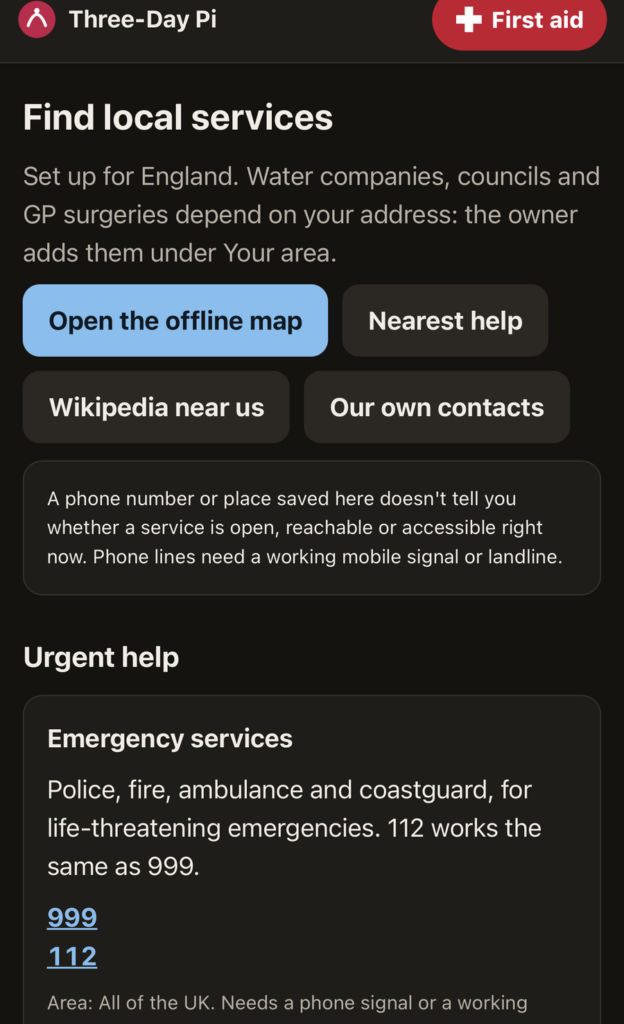
- Offline maps of the UK and Ireland, with a “nearest help” list: pharmacies, hospitals, defibrillators, and water taps within 15km.
- A UK outage guide featuring 27 short cards on what to do now and when to get help, each from a dated source such as GOV.UK, the NHS, or the FSA.
- Emergency numbers, national and local.
- Films, music, and old radio shows through Jellyfin, amounting to just under 100GB from the Internet Archive, all public domain or Creative Commons. Boredom isn’t on the official list of hazards, but it should be.
It listens, too
Two Nooelec NESDR SMArt v5 radio sticks hang off the Raspberry Pi. They’re RTL-SDR receivers in little aluminium cases that tune anything from 100kHz to 1.75GHz.
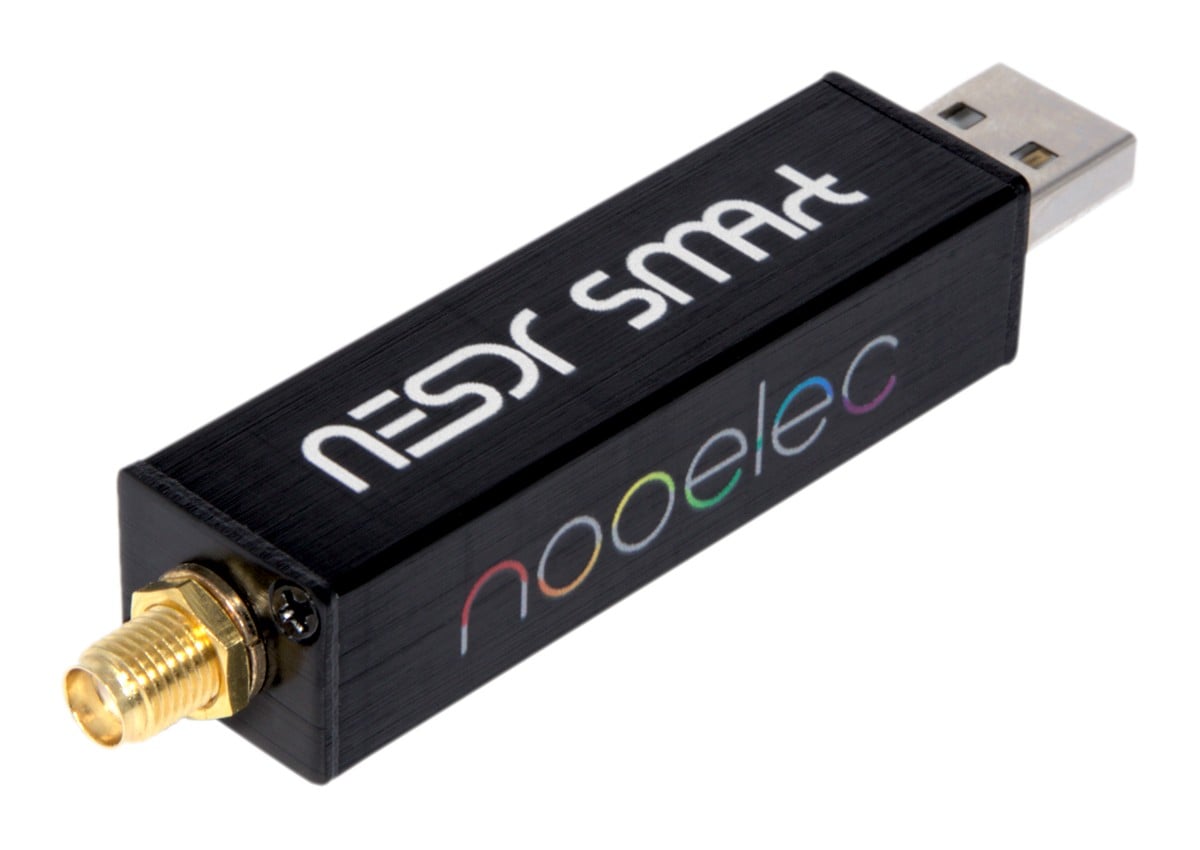
Most phones can’t receive FM anymore, so one stick streams the local station to every phone on the Raspberry Pi’s Wi-Fi. On the hour, it records the news and transcribes it on the Raspberry Pi’s own CPU with whisper.cpp, so you can search for “school”, “water”, or the name of your road and hear that bit.
The other stick listens to aircraft to answer a question I’d never thought to ask: is the sky normal? If the receiver is working, a much quieter sky than usual is a fair hint that the wider world isn’t running normally either. Family can also leave “we’re fine” messages, which go out through ntfy the moment the internet comes back.
The serious bit: your documents
The Be Ready checklist asks for printed copies of your ID and important documents. Do that first. Paper doesn’t need charging.
But a Raspberry Pi is a very good second home for a scanned set: passports, driving licences, insurance policies, prescriptions, the boiler’s serial number. Keep them in an encrypted folder, off the guest Wi-Fi, with a second copy somewhere that isn’t your house.
A case for bad days
A box for bad days shouldn’t be a bare board on a shelf. It should look at home next to the torch and the tins.
The case holds a Raspberry Pi 5 with its Active Cooler, an NVMe drive, and a Raspberry Pi AI Camera looking up through a hole in the lid. Most faces feature a white grille and a small Raspberry Pi logo, and a tripod thread underneath lets the camera point anywhere. There are two versions: one with a dual M.2 board under the Raspberry Pi, and this one, with the Raspberry Pi M.2 HAT+ on top.
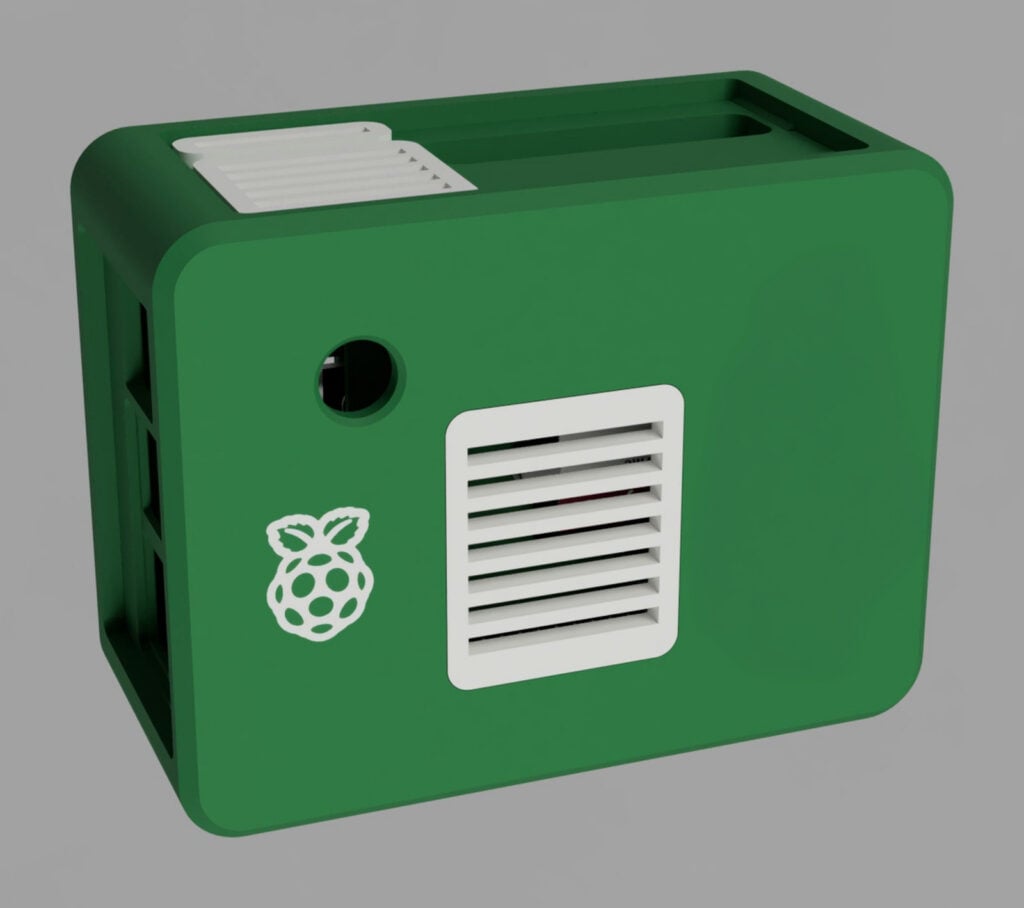
The Raspberry Pi AI Camera gives it eyes. Its Sony IMX500 sensor runs a neural network on the camera itself, meaning the Raspberry Pi receives processed answers rather than raw video. The case stands on its side with the camera looking out through the lid, the right way up. For now, it does person detection. In a power cut, that could mean having a doorbell that still works: if someone’s at the door, every phone on the Raspberry Pi’s Wi-Fi will know. The same camera can count people coming and going, recognise everyday objects or track poses, and even keep the children busy logging birds in the garden on day two.
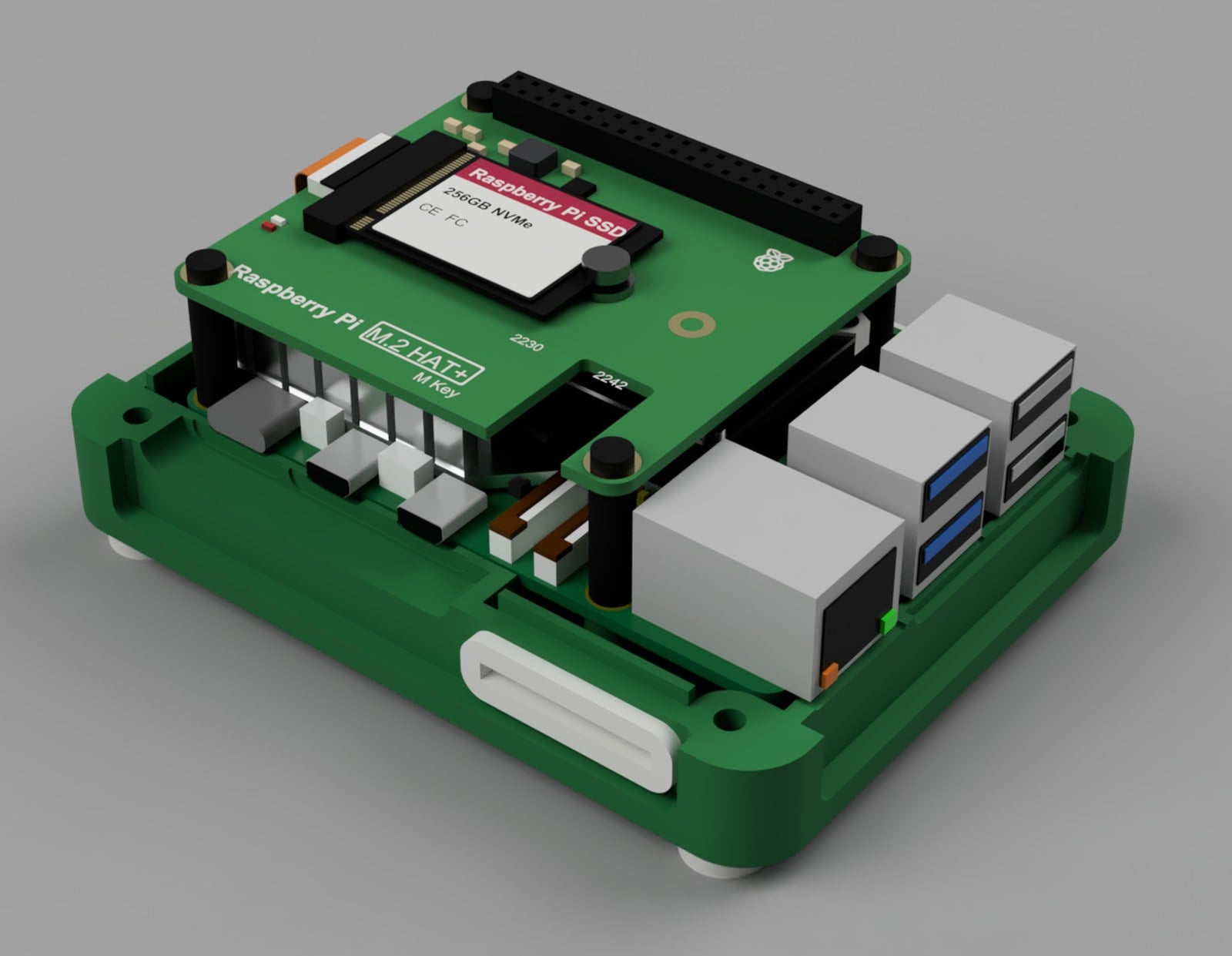
I printed mine on my four-toolhead Snapmaker U1, with the logos in white and no supports. If you’d like to print one yourself, the files are available for free on Printables: this version for the M.2 HAT+, and another for a dual M.2 board under the Raspberry Pi. Both print fine in a single colour too.
On its own, the Raspberry Pi still can’t survive a power cut, which I accept is a flaw in a power-cut computer. So, to fix this, it gets a second box in the same green and white, with a folding handle and the Raspberry Pi logo on the end. Inside are a 12.8V 10Ah LiFePO4 battery, a 10A solar charge controller (taken out of its own case so its little screen sits under a flap in the lid), and a car-style socket with 65W USB-C. The battery and controller cost about £55.
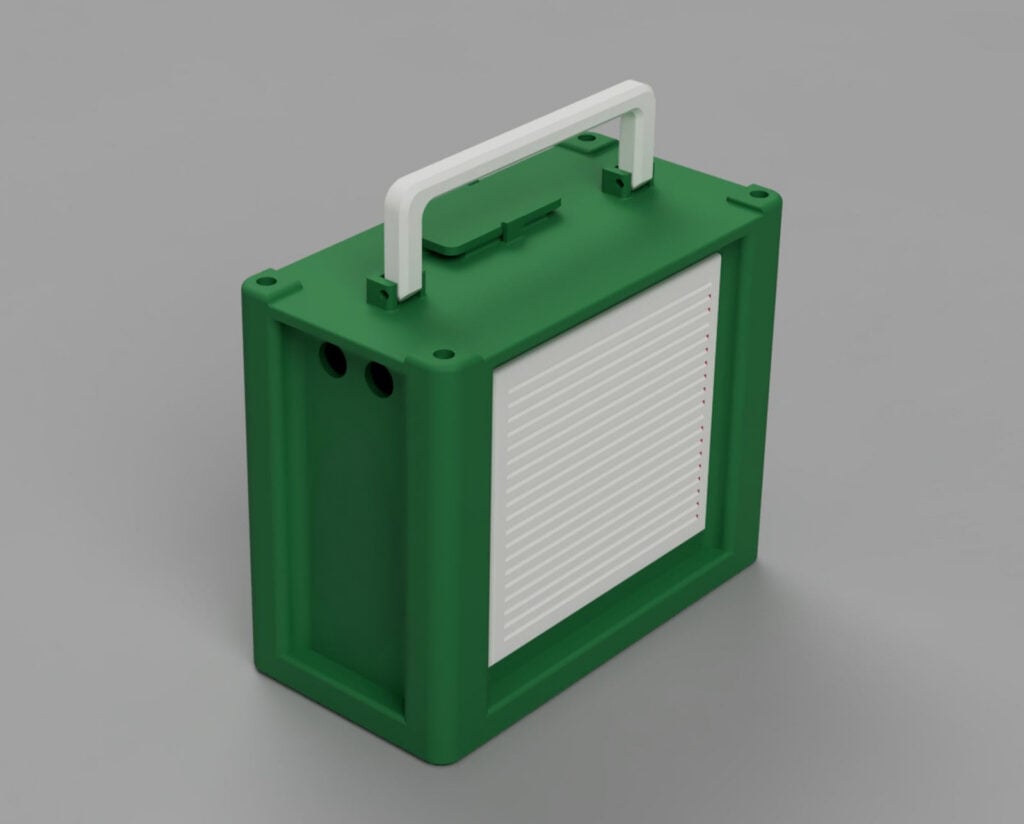
The battery holds 128Wh and the Raspberry Pi box draws about 6W, so on its own it lasts around 16 hours. The 100W solar panel gives about 75W through the basic controller, enough to refill the battery in a couple of bright hours. By my rough sums, a summer’s day keeps up with the power demand for as long as the weather holds, but a grey December day manages about a quarter of what is used. So, in winter, the setup buys you about a day. A bigger battery is still on my wish list.
Why not make one?
This is the perfect project for the Raspberry Pi in your drawer. You don’t need an SSD, a HAT, or a printer: a Raspberry Pi 4 or 5 and one big microSD card can hold the operating system and all of Wikipedia. Mine uses an SSD only because it does a lot more.
1. Get an SD card. English Wikipedia with pictures is about 120GB, so use a 256GB card. The text-only version is about 50GB and fits on a 128GB Raspberry Pi SD Card.
2. Install the OS. Write Raspberry Pi OS (64-bit) to the card with Raspberry Pi Imager. In the settings, choose a username and your Wi-Fi country and turn on SSH.
3. Install Kiwix and download Wikipedia. With the Raspberry Pi on your home network (a cable is quickest), run:
sudo apt update && sudo apt install -y kiwix-tools
mkdir -p ~/zim && cd ~/zim
wget -c https://download.kiwix.org/zim/wikipedia/wikipedia_en_all_maxi_2026-08.zim
Check the Kiwix download list for a newer date, or the nopic file for text only. Leave it overnight; -c carries on where it stopped if the download drops.
4. Start it at every boot. Run crontab -e and add this line, with your own username:
@reboot /usr/bin/kiwix-serve --port=8080 /home/YOURNAME/zim/*.zim5. Turn on a hotspot. This takes over the Raspberry Pi’s Wi-Fi, so do it last:
sudo nmcli device wifi hotspot ssid "Three-Day Pi" password "pick-a-good-one" ifname wlan0
sudo nmcli connection modify Hotspot connection.autoconnect yes
Join that network on a phone and open http://10.42.0.1:8080. A USB power bank will run it for hours. SD cards don’t love constant writing, but a library that’s mostly read suits them; keep a spare copy of the card in the drawer. Then add the bits that make you smile. And if you want it to look the part, print the case too.
But do the boring list first. Water, tins, torch, radio, cash, paper copies. The Raspberry Pi is the extension, not the replacement.
Keep calm and carry Raspberry Pi.


2 comments
Jump to the comment form
ComputerL
Love this.
Ray Allen
Kinda like this, when prices drop i’m getting a Pi5 and SSD and will build one, like the idea of an offline wiki.